User Guide To Install Syncro Support Agent (Windows)
Scope:
This guide explains how to install the Syncro support agent on Windows so our IT team can monitor system health, apply updates, and provide remote assistance when needed.
Supported Operating Systems
These instructions apply to Windows 11 (25H2).
(If you are running an older version of Windows, some steps or permission prompts may appear slightly different.)
1. Download the Installer
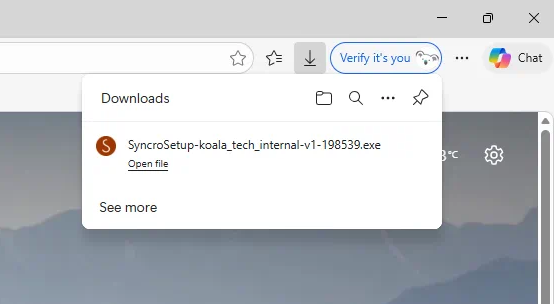
a. Click the Syncro installation link provided by our team.
b. The installer file will download to your computer (usually in your Downloads folder).
2. Run the Installer
a. Locate the downloaded file.
b. Double-click the installer to start the installation.
3. Allow Installation
If Windows displays a security prompt:
a. Click Yes to allow the installation to proceed.
b. The installer will run automatically.
4. Installation Complete
The installation typically takes less than a minute.
Once completed, no further action is required. Your computer will automatically connect to our monitoring system so our IT team can help keep your device secure and supported.
Need Help?
If you encounter any issues during installation, please contact us for assistance at support@koalatech.ca or 778-769-3222.